
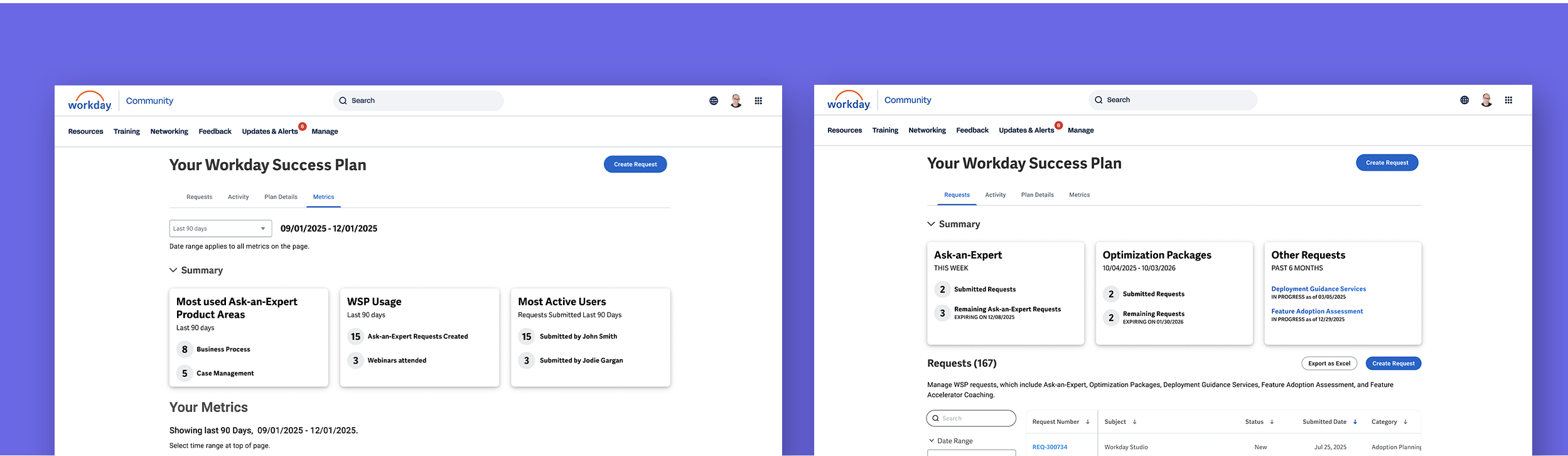
Workday success plans
As the product moved to a new design system, the primary challenges were a misaligned team, limited customer understanding, and uncertainty around where improvements would create real value.
Role
Lead Designer
Discovery & Research
Sprint level adjustments with Dev Team
Content creation( with Business Team )
Activity
Led a cross-functional project kickoff and set a consistent weekly cadence, aligning stakeholders and identifying key SMEs
Conducted client interviews to find insight and validate final designs
Worked with stakeholders to translate research and UX goals into practical strategies and confident decisions
Impact
Expected ~$3M in incremental revenue through improved retention and engagement
Established an AI strategy along with a documented roadmap for future enhancements
Led a less UX-mature team, helping them make more informed, user-centered product decisions ( and revealed the value of talking directly to clients )
Background
The project lacked clear product ownership and direct insight into client needs.
Without a shared direction, clear product leadership, or regular customer input, the team struggled to make confident decisions.
This created an opportunity to bring structure to the team and focus the work on changes that would have real impact.
Coordinating the team
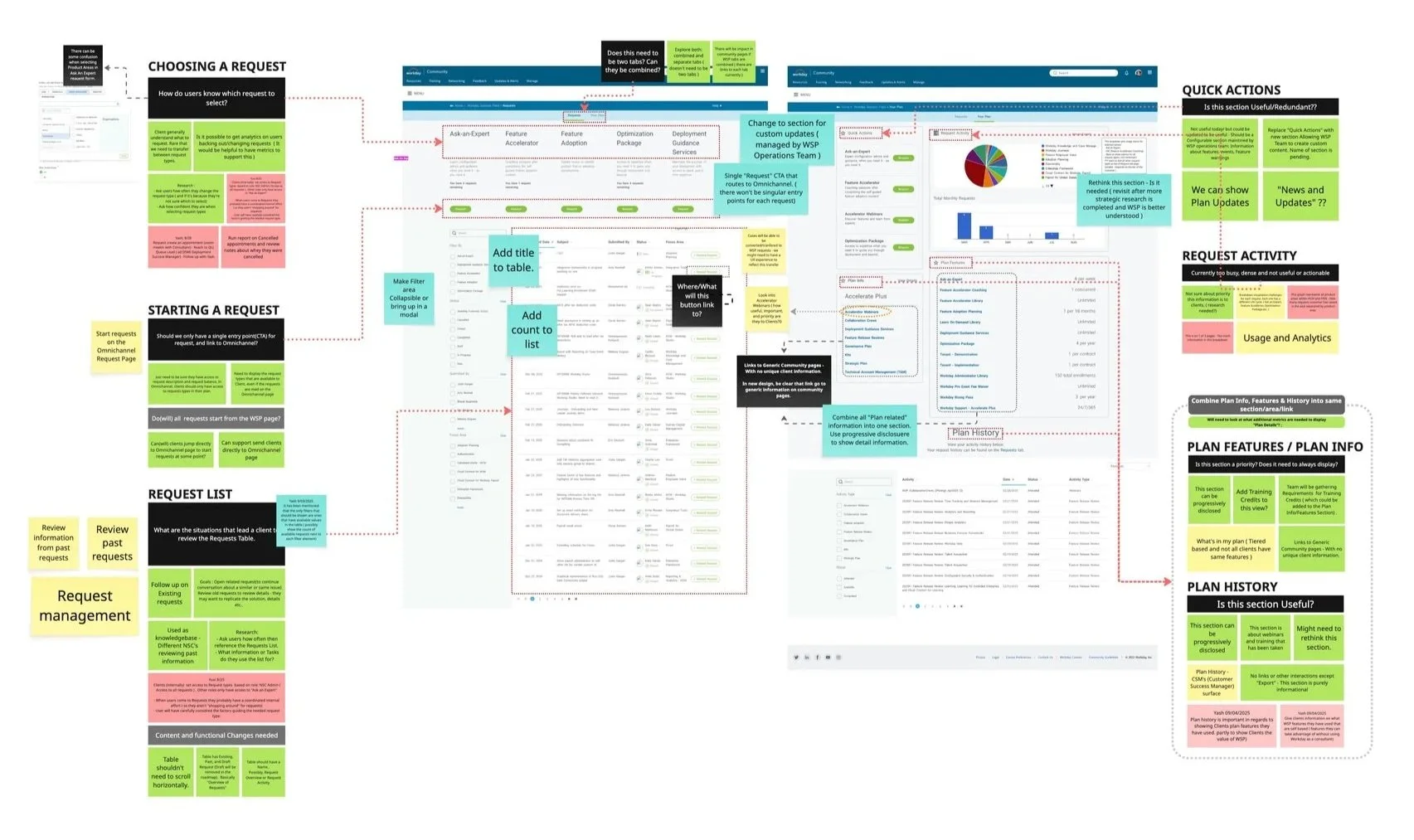
I collaborated with the team in an initial workshop to gather insights from all stakeholders and align on goals and expectations.
I facilitated a kickoff workshop to align the team and uncover early insights and risks. As a new member of the project, this created a clear baseline for goals, ideas, and expectations across a team that had not been closely aligned.
I established a twice-weekly rhythm with key stakeholders to build shared product understanding and define how we’d address gaps.
ux and product strategy
I spoke with client admins and organized insights into 7 themes.
After identifying insights with a teammate, I organized them in Miro, which resulted in the following themes:
Manage & Optimize
Metrics & Reporting
Ask-an-Expert
Year-End Reporting
Self-Service
Learning & Training
Roles & Permissions
Now, Next, Later framework
I framed insights for stakeholders using a Now, Next, Later approach, helping distinguish what to tackle immediately versus what could wait.
We identified the most immediate needs across these remaining themes:
Ask-an-Expert
Manage & Optimize
Metrics & Reporting
Year-End Reporting.
Content is King - defining the information architecture
Stakeholder conversations, along with some follow-up work, led to the actions below.
Refined the existing navigation and naming to better reflect how users actually talk and think
Locked in the IA and UX direction early to keep the project moving on a tight timeline
Eventually Split Activity and Plan Info into separate tabs once it was clear this better matched user expectations and business goals
In follow-up research, clients responded positively to the new navigation and felt the content and functionality matched their expectations
Navigation and IA
I created an early concept to align stakeholders early on navigation and tab structure, helping ensure we were all working from the same understanding.
The original design grouped Activity and Plan Info under one tab, but we split them into separate tabs to better meet user expectations and business goals.
Design Strategy
I used the following wireframe to align stakeholders on the UX approach, with insight cards positioned above actionable content in each tab.
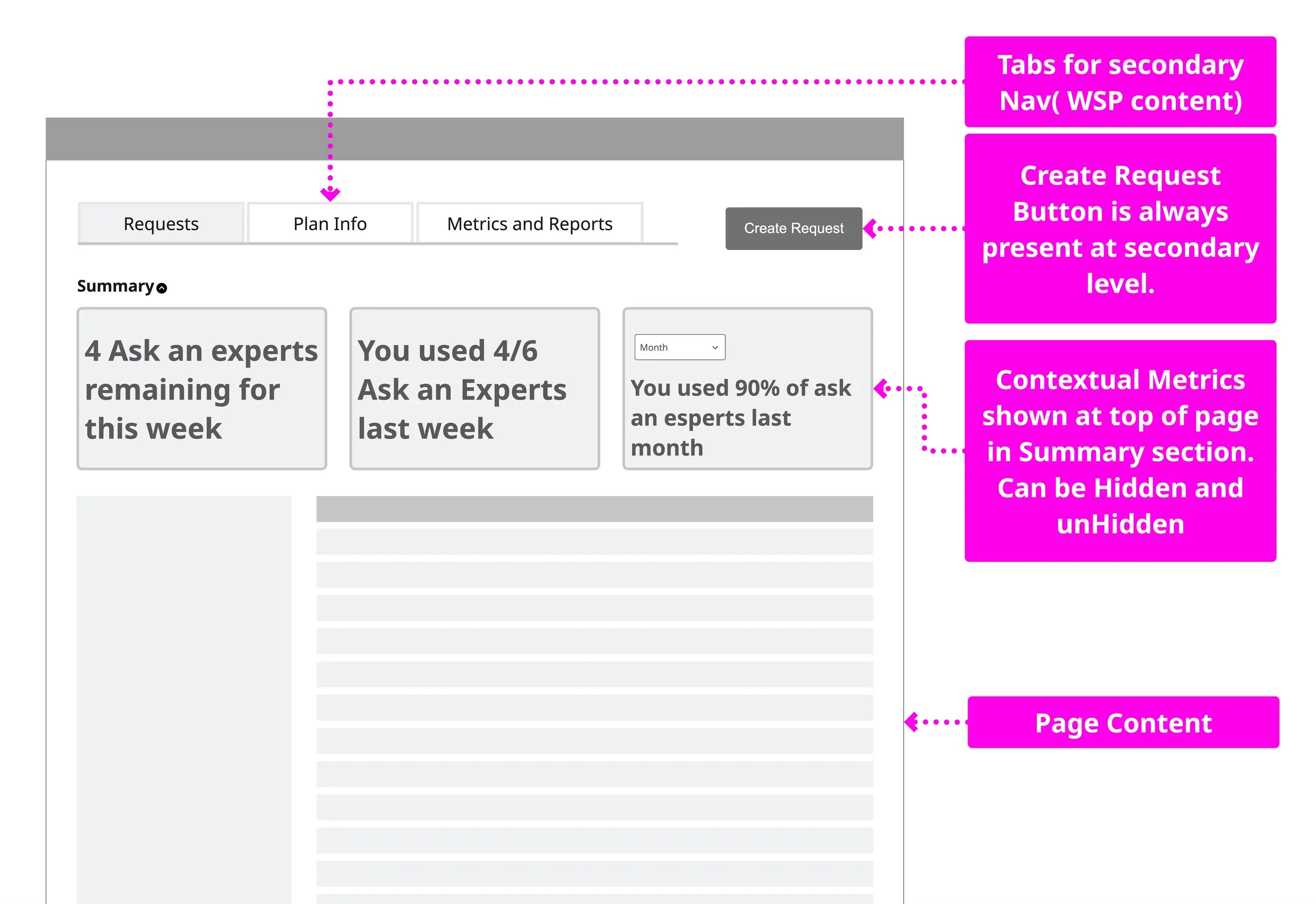
I explored multiple concepts and landed on this approach for it’s extensiblity and simplicity of execution - view more concepts
Final decisions
Final tab structure
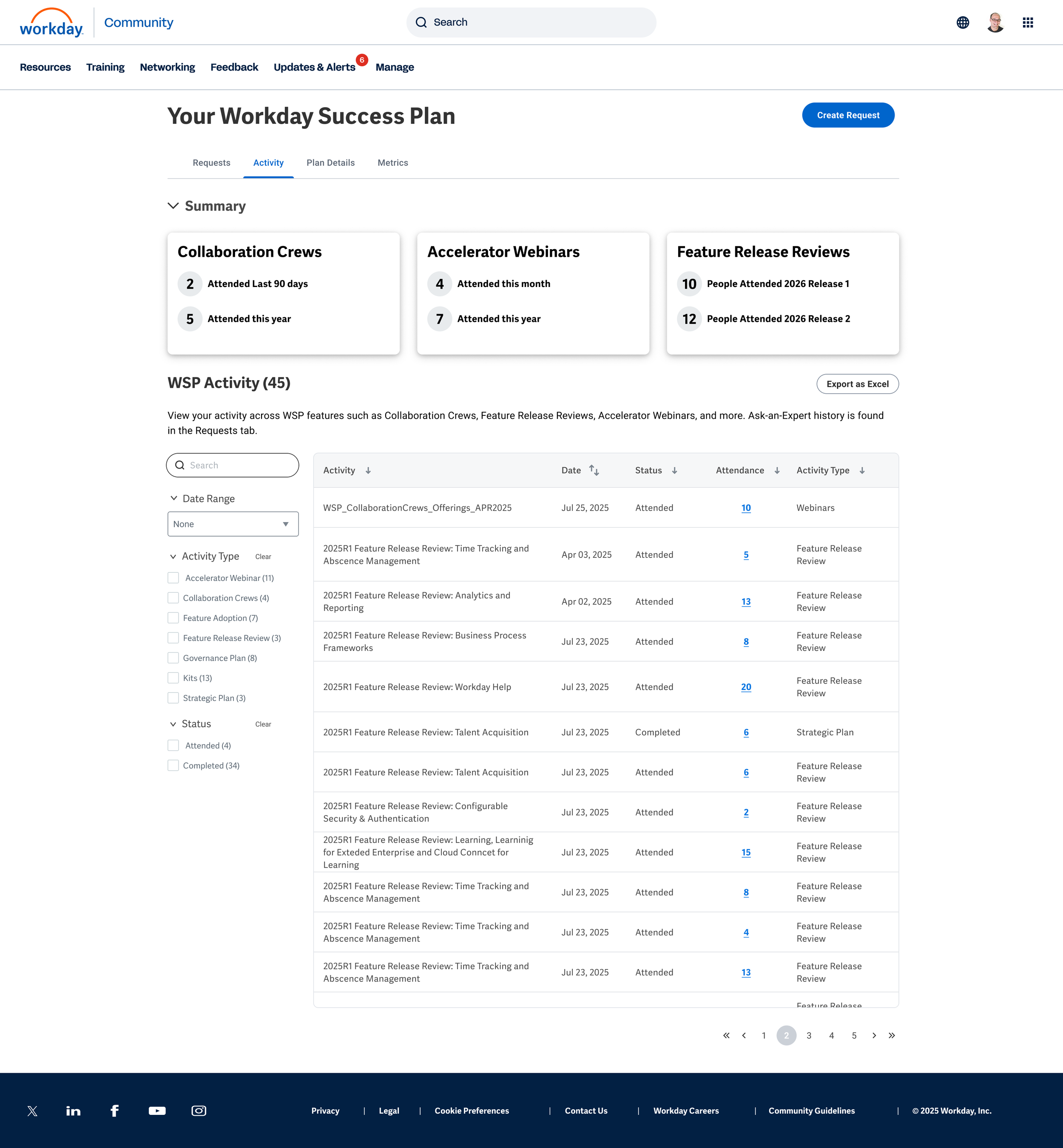
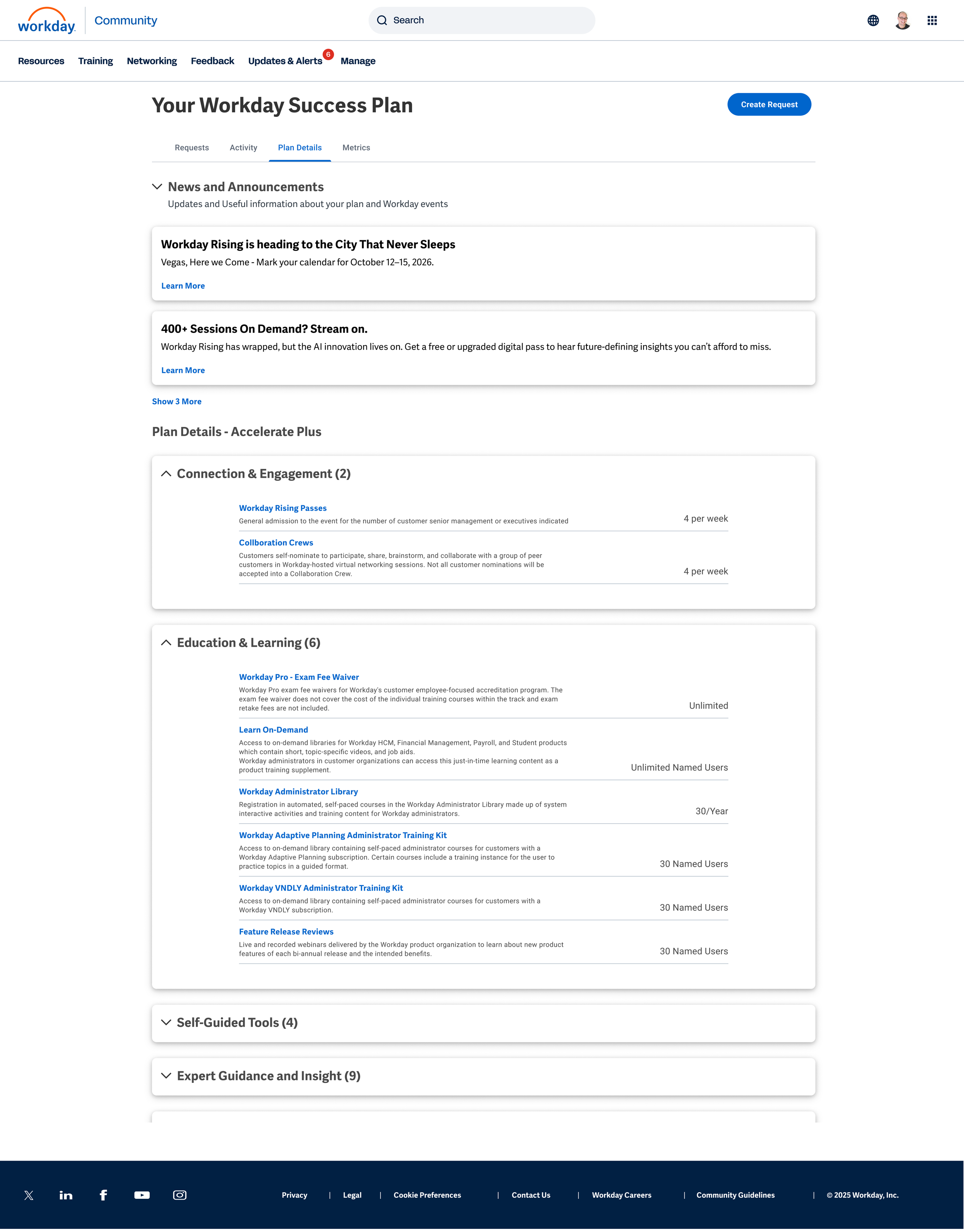
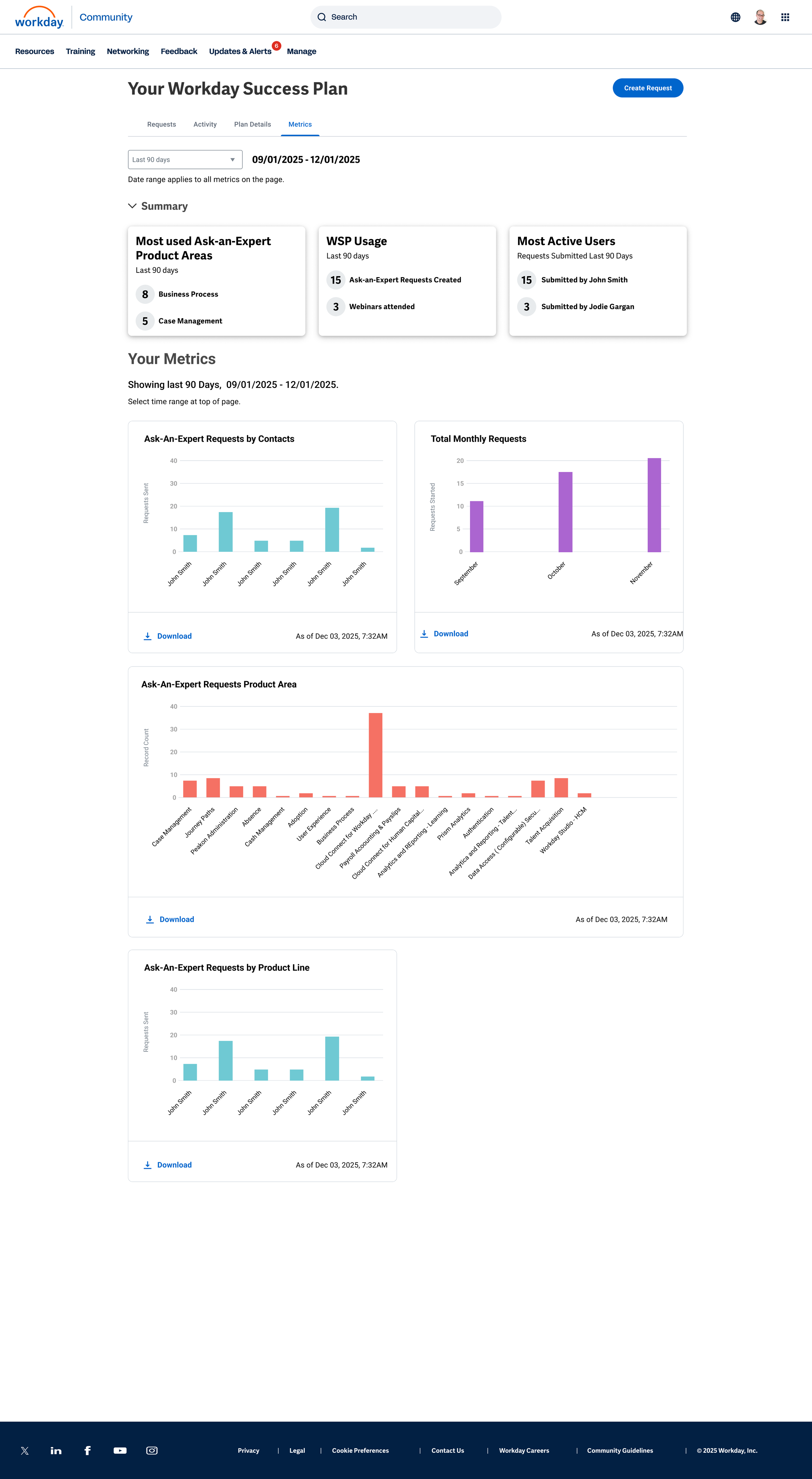
The final design simplifies into 4 tabs: Requests, Activity, Plan Details, and Metrics
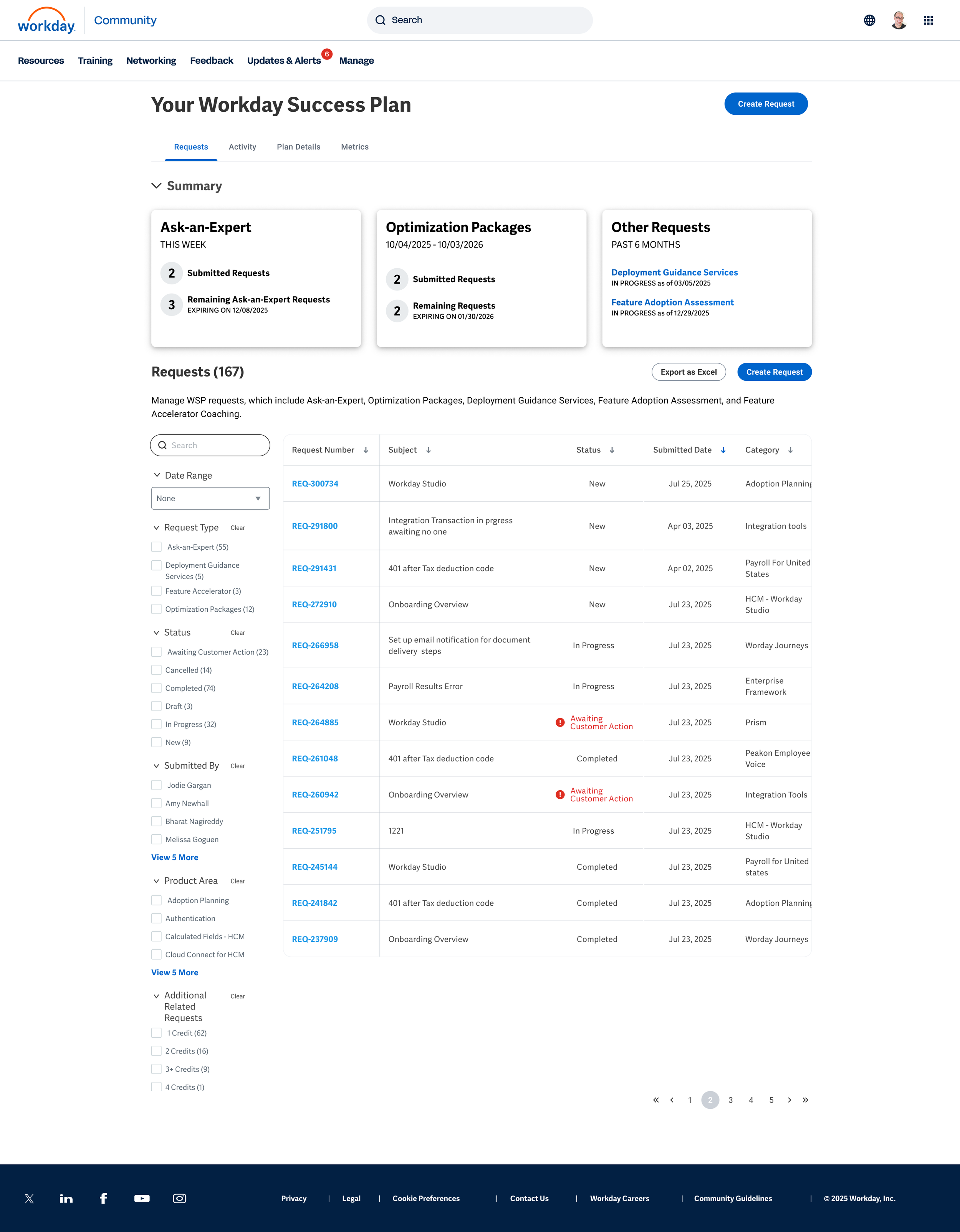
Insight Cards
A significant value add are the insight cards that give data points helping client manage and optimize their WSP team efforts.
As a team, we defined the different states the card needed to support, including zero states and other conditions that would vary by client.
Clients responded overwhelmingly positively to the insight cards, noting they filled a significant gap that had previously existed.
Content for different card states.
Feasibility challenges
News and Insights was intended to use AI to highlight underused features, but when AI wasn’t ready for launch, we pivoted to News and Announcements to support custom updates created by the business team.

This documentation outlined how cards behave in News and Insights, including information priority and related behaviors.
Final Output
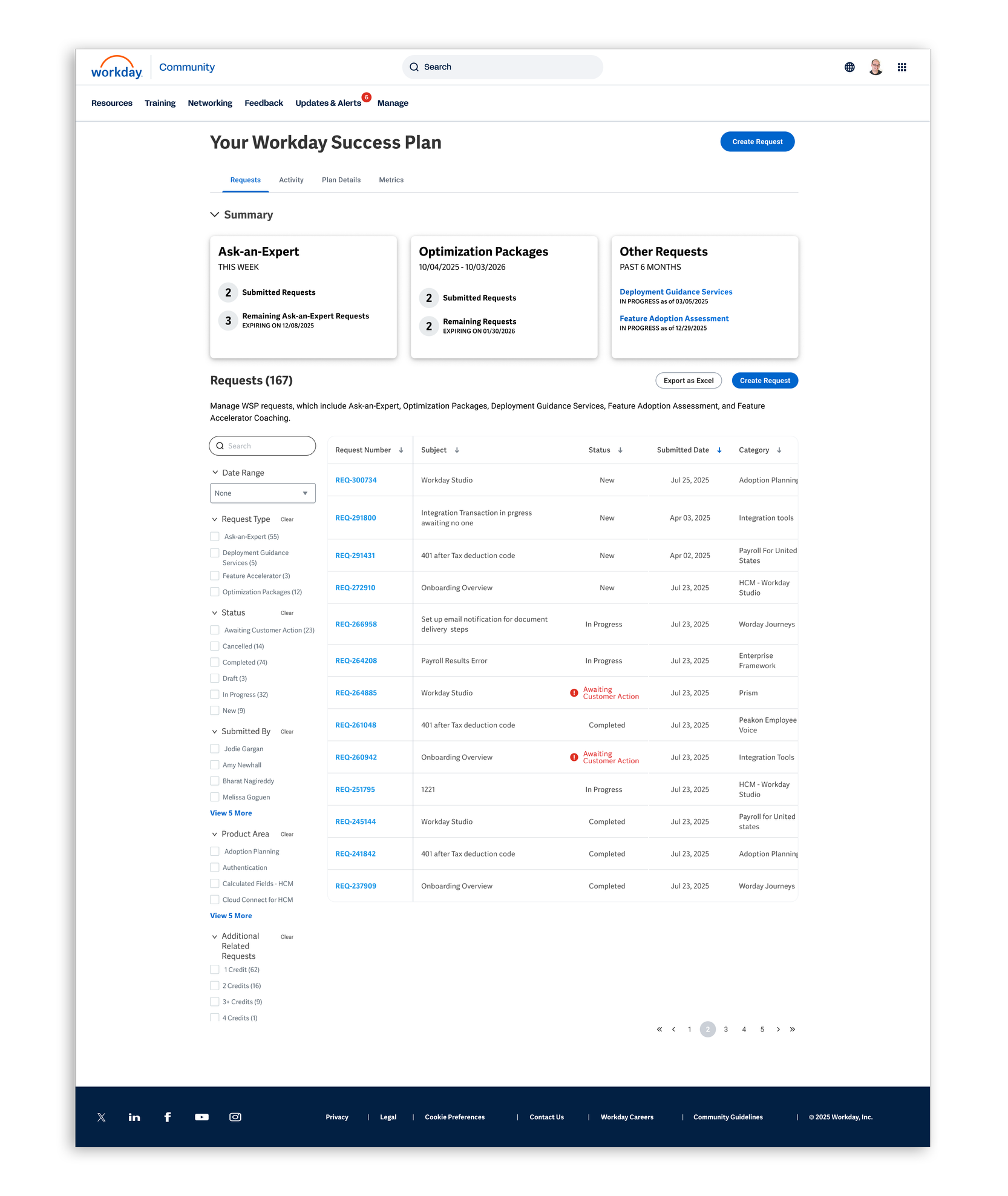
Requests Tab
Roughly 80% of WSP revolves around Ask-An-Expert requests, with five resetting each week.
In follow-up research, clients responded well to a simple insight card showing how many requests remained, often saying it mattered more than seeing completed requests.
They appreciated the extra visibility without the experience feeling heavy or cluttered.
Activities Tab
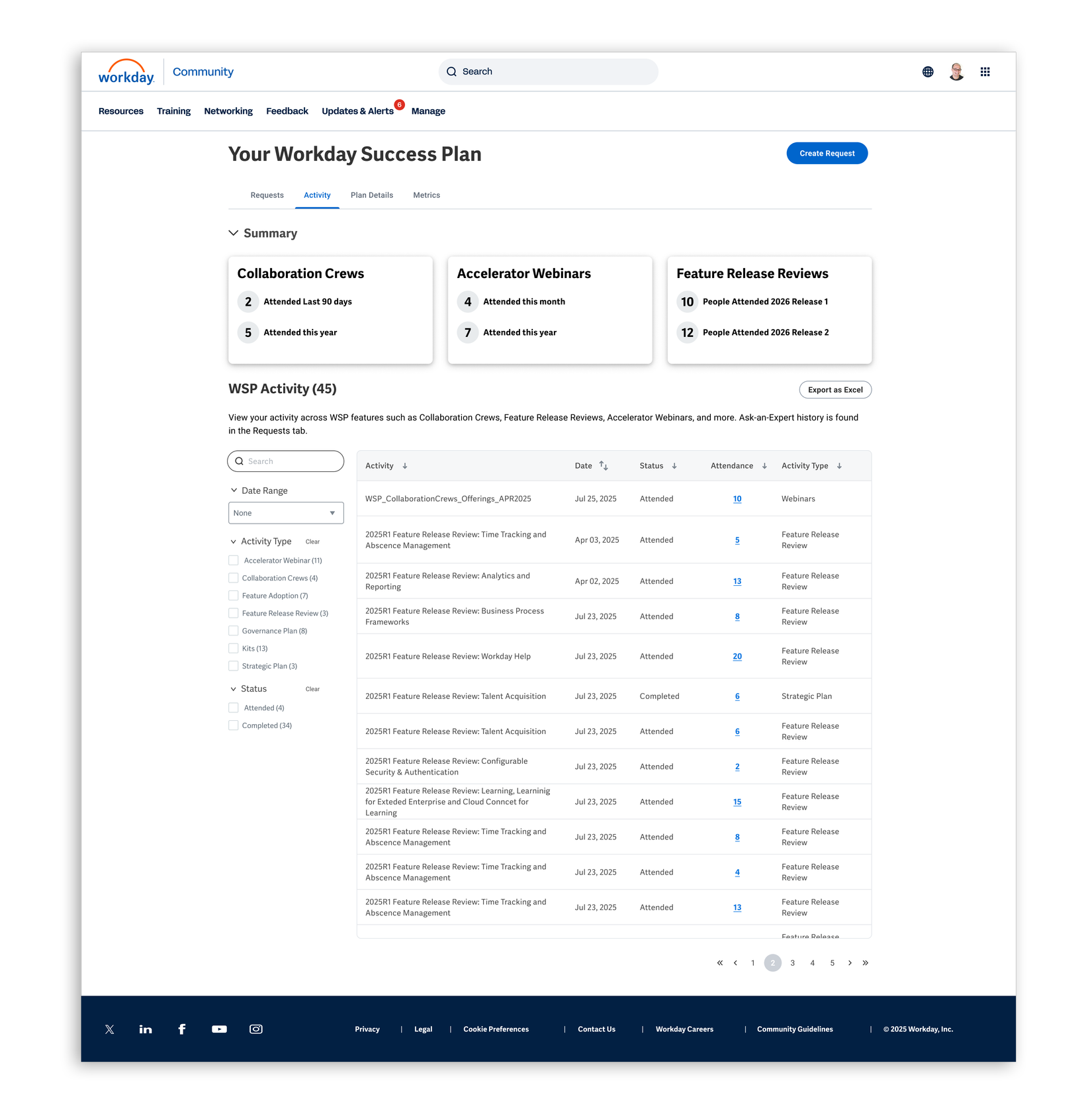
We surface information about all activities not in the Request tab.
Client conversations showed a desire for more detailed activity data—such as who attended and when—with additional activity details planned on the roadmap.
Follow-up research confirmed interest in expanding this information further.
Plan Details Tab
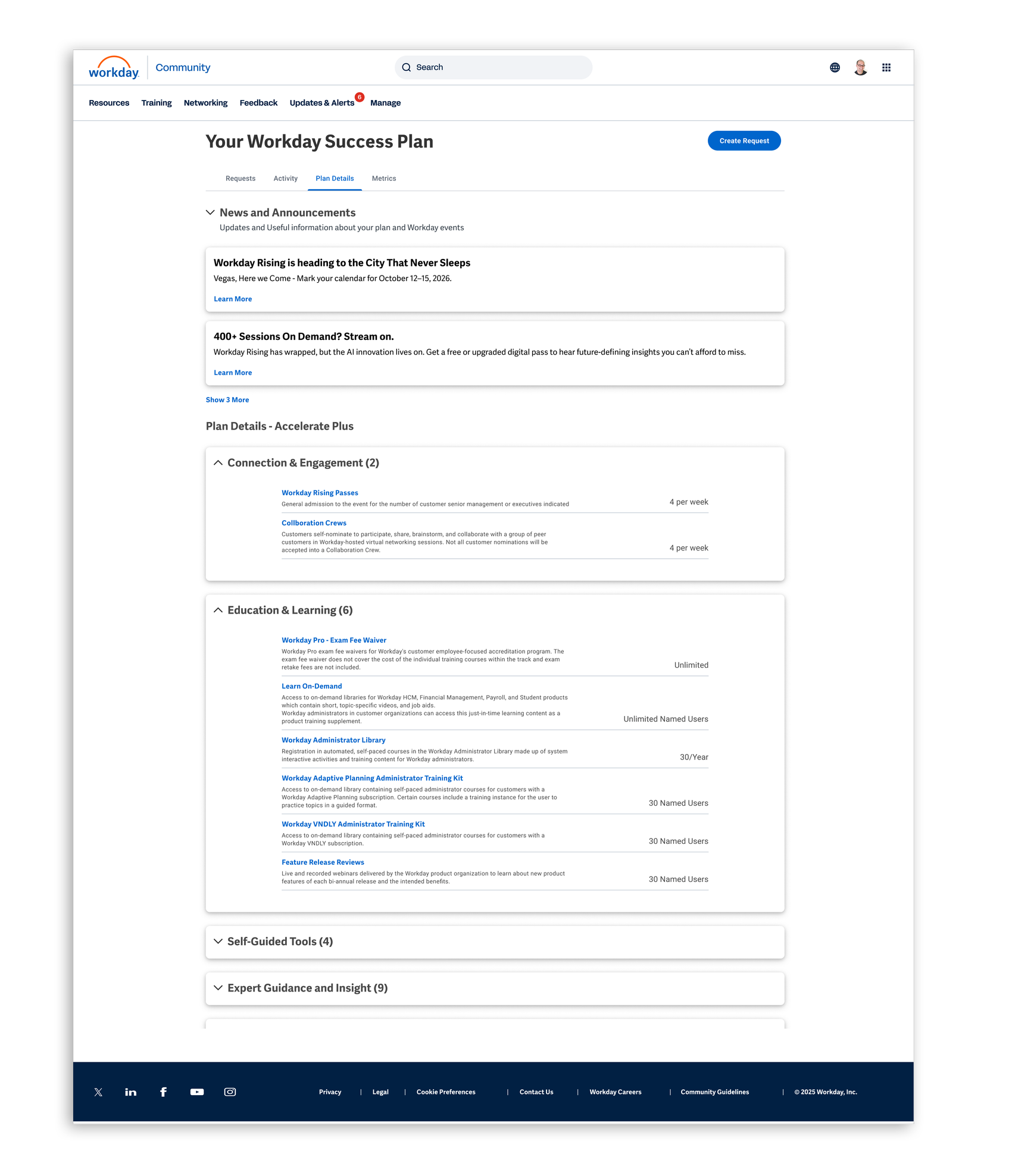
Adding more context and insights to Plan Details was well received, with clients saying the previous design didn’t provide enough information.
The News and Announcements section was also seen as useful, with clear feedback on the types of content clients wanted most.
Metrics Tab
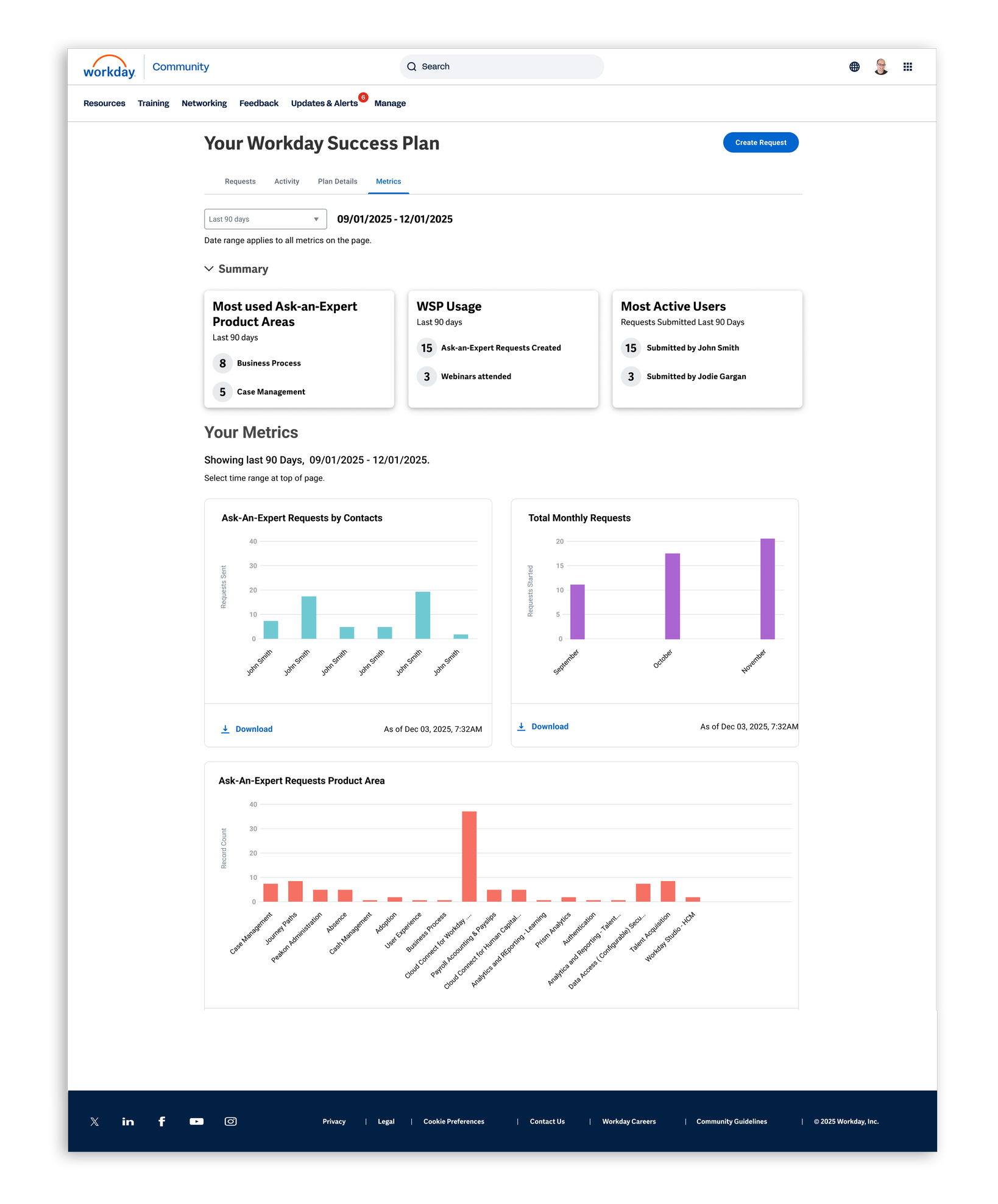
Clients saw the Metrics tab as a significant value add, especially for monitoring and reporting on engagement and activity.
How they used the data varied—some wanted reports, while others used it to manage their teams.
The strongest takeaway was a clear desire for more metrics across the product.